Panels
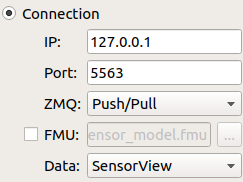
Connection:
The channel receives osi message from the network with specific IP address and port number, and shows up different data types.
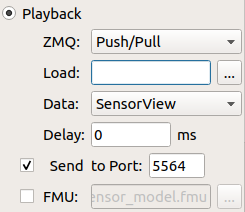
Playback:
The channel receives osi message from the loaded file. The tool will check a header file of the same name with a extension: .txth. If it doesn’t exist, the tool will create one automatically for the first time. A “Delta-Delay” variable can be set to slow down the playback speed in case of very large message files. By default this value is “0” ms.
Example: Set it to 10 ms, each message will have 10 ms more delay for playing.
Besides the tool provides sending out osi message to network with specific port number.
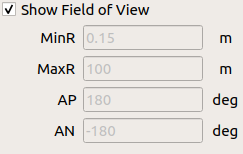
Show Field of View:
Shows the field of view for sensors, like lidar, on the grid. Users can set minimum range, maximum range, azimuth positive angle and azimuth negative angle.
Save OSI Message:
Log or cut out part of the osi message stream and save it to another file. By default the threshold is 1000000 OSI messages. The User can change this threshold in the appconfig.cpp.
Notice
When playing large osi files, try to adapt the Delta Delay. Then the tool renders smoothly.